
Our product
Universal Till: the point of sale that's actually yours.
A free, open-source, offline-first point of sale for small shops, cafés and restaurants. It runs on hardware a shop already owns, and a full sale completes with no internet at all.
MIT licensed · no monthly fee for the core
Why we built it
Every shop deserves a point of sale it truly owns.
Universal Till is Task Runner Tech's own product. We design, build and operate it, with the same delivery discipline we bring to client platforms.
A point of sale should not mean multi-year tie-ins, proprietary hardware or being locked to one payment processor. We believe every shop, anywhere in the world, should have a till that is free, open and free of lock-in, with its data exportable at any time.
The core till is free and open source under the MIT licence. Optional services, such as the cloud manager, sit around it, and the till never depends on them to take a sale.
Key features
One system, tuned to how a shop actually sells.
From corner shops and boutiques to cafés, restaurants and market stalls, Universal Till covers the everyday work of selling and leaves the rest to plugins.
Offline-first, truly
A full sale completes with no internet at all. Everything works locally; syncing is a bonus, never a requirement.
Runs on hardware you choose
A Raspberry Pi, an old PC or laptop, an Android tablet, or a proper touch terminal. One small app, no proprietary hardware.
Speaks your language
English, German, Spanish, Turkish, Persian and Arabic, including right-to-left layouts, chosen in the setup wizard.
A signed plugin marketplace
Payments, integrations, loyalty, themes and more. Install in one click; every plugin is verified before it reaches the till.
Manage from anywhere
my.universaltill.com lets owners change items, prices and category order from any browser, and more is being added. Each till picks up changes on its next check-in.
No lock-in of any kind
No contracts, no payment-processor lock-in, and a full catalogue and sales export to CSV whenever the shop wants it.
See it in action
Screens from a running till.
The till screens are the product's own, shown with demo data. The cloud manager image is a design preview.
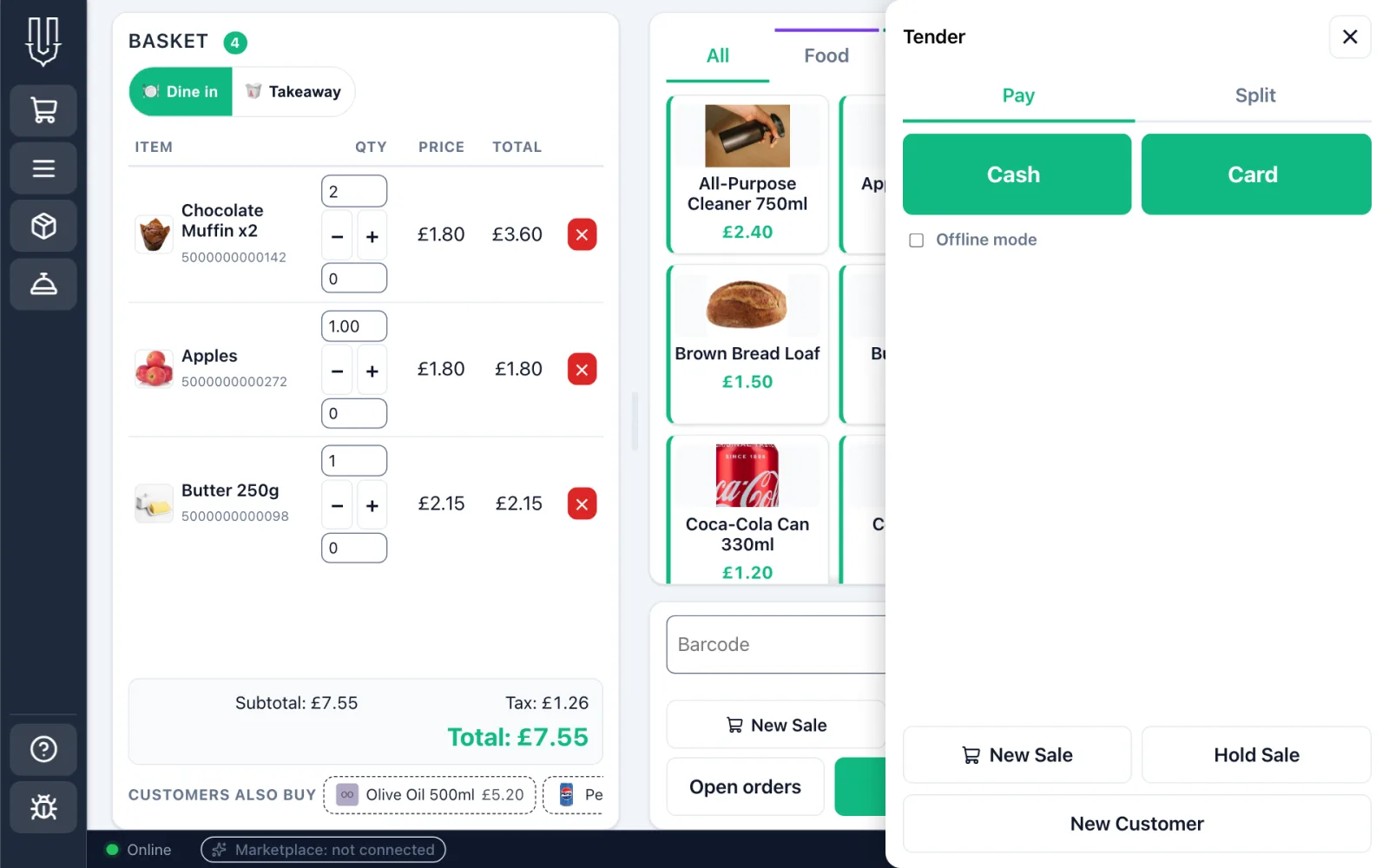
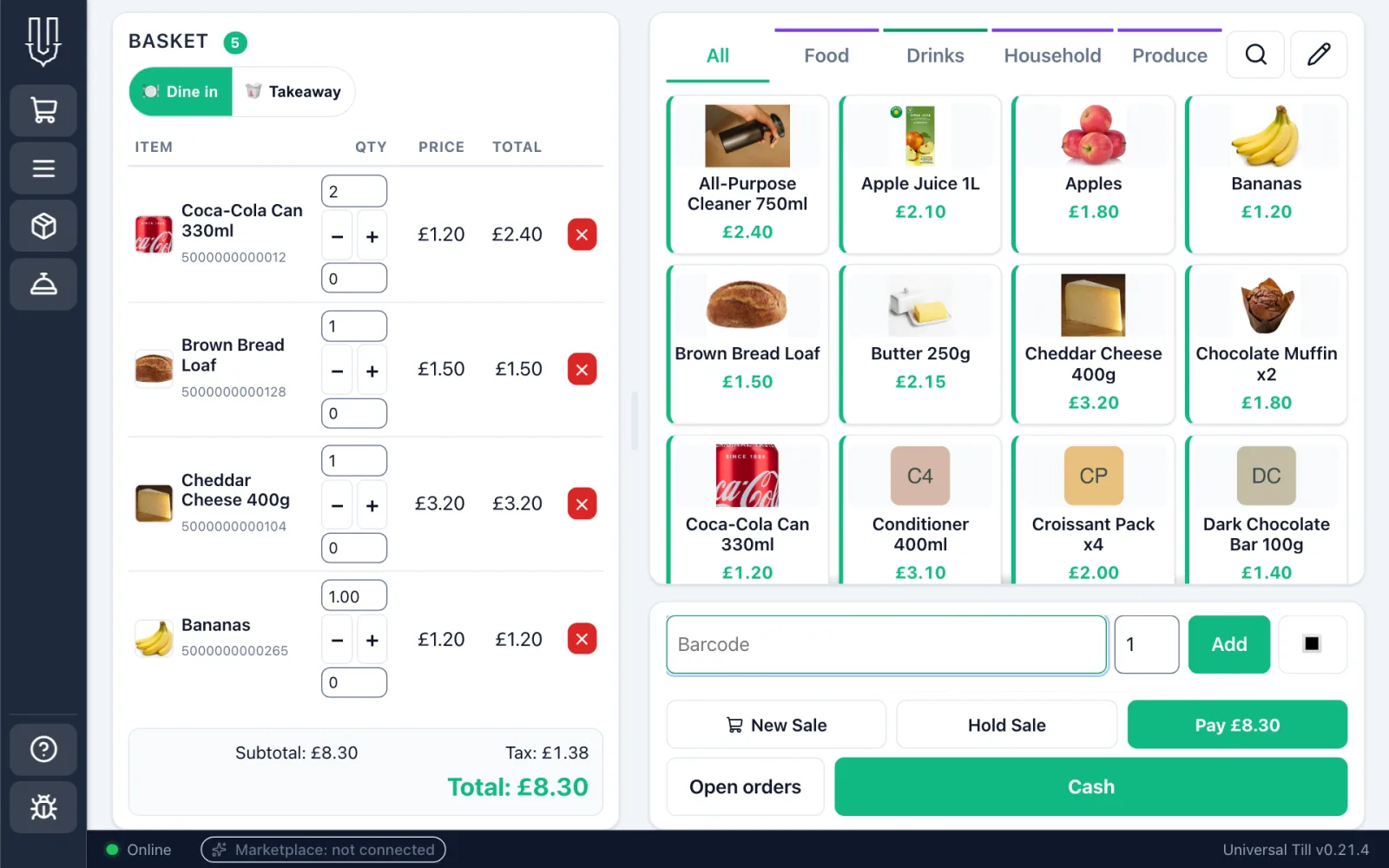
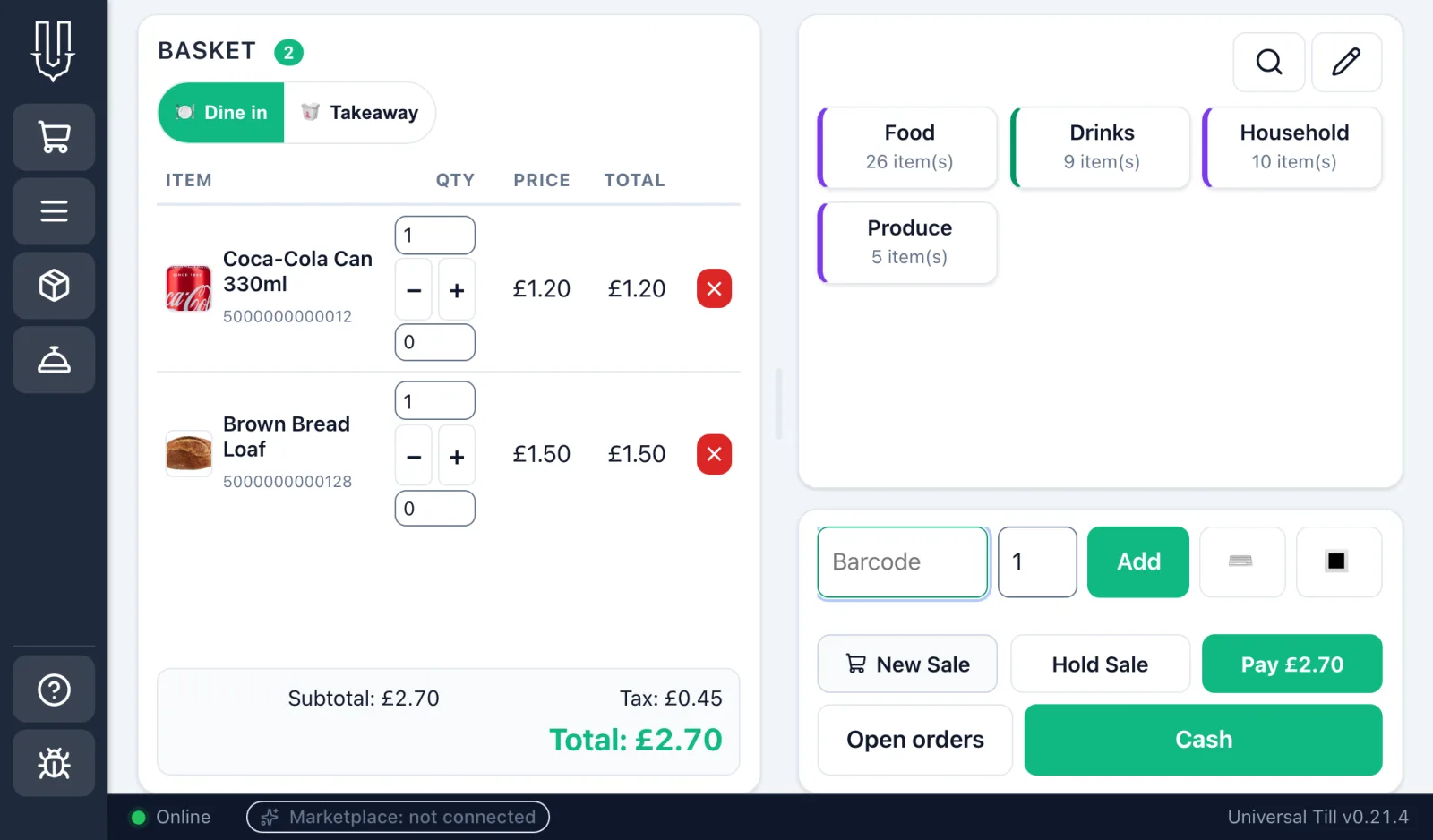
Fast touch sale screen
Product tiles, scan, and one-tap tender.
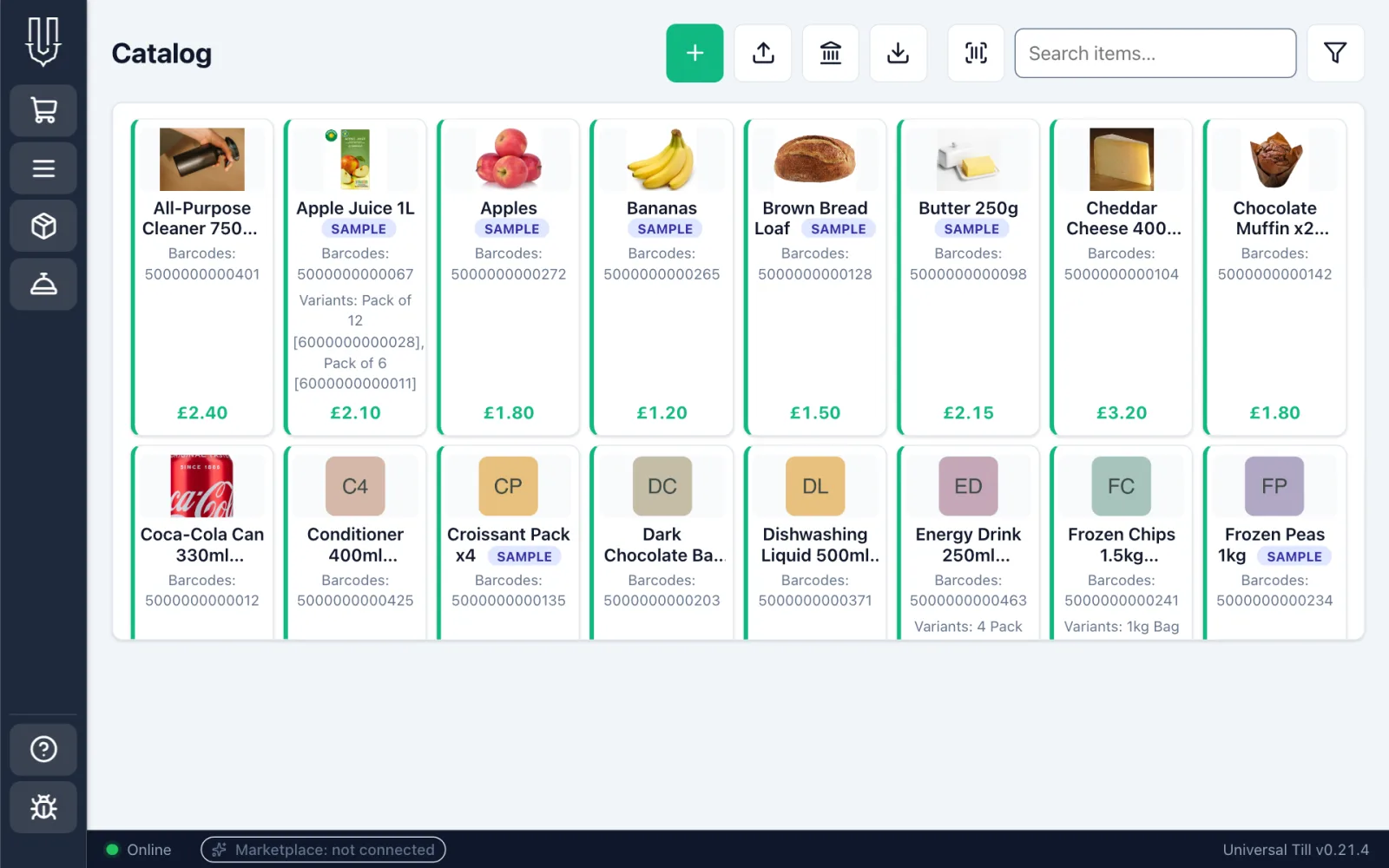
The whole catalogue
Barcodes, variants, photos, tax and price.
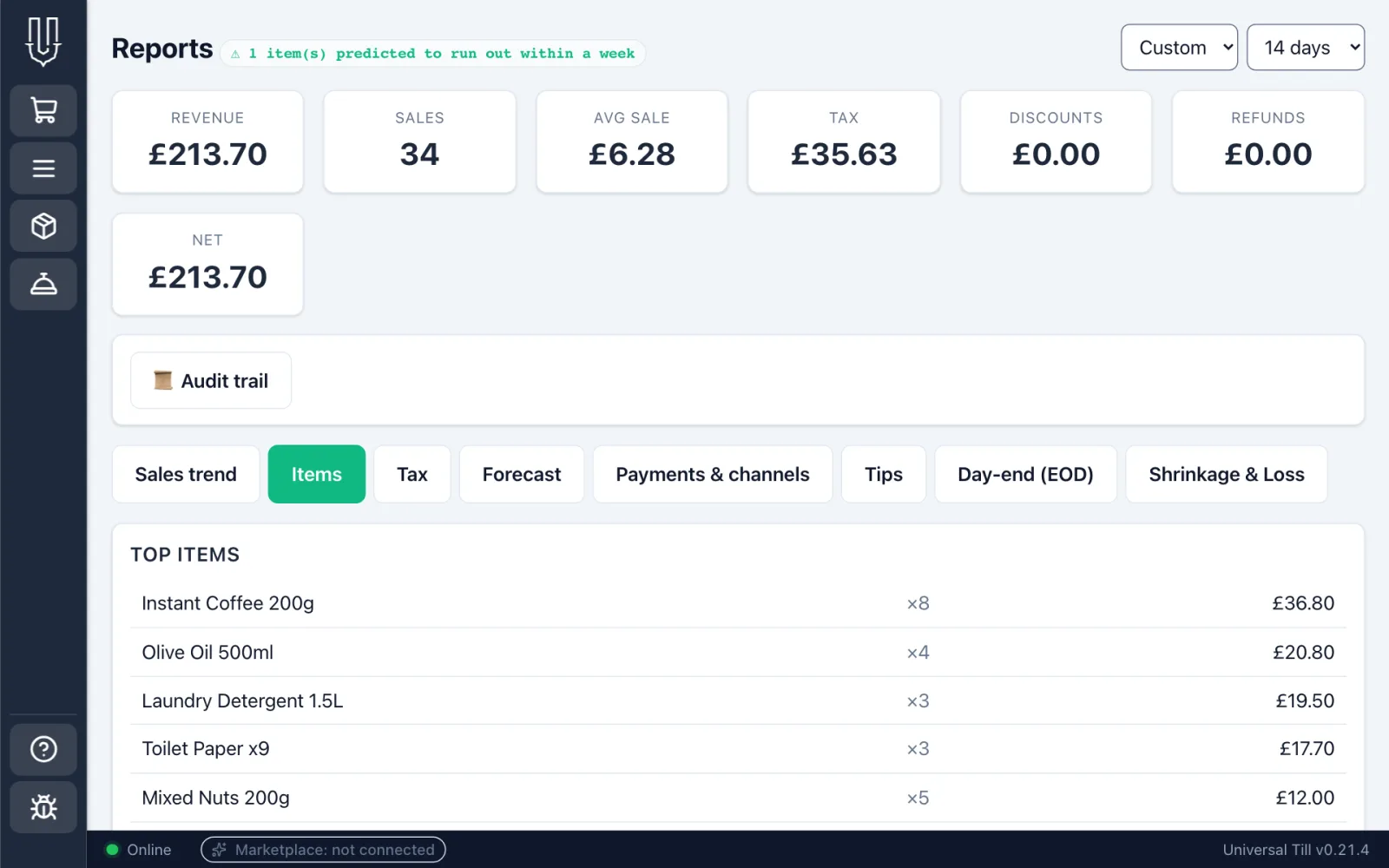
Reports on the till
Sales, tax and top items, answered on the device.
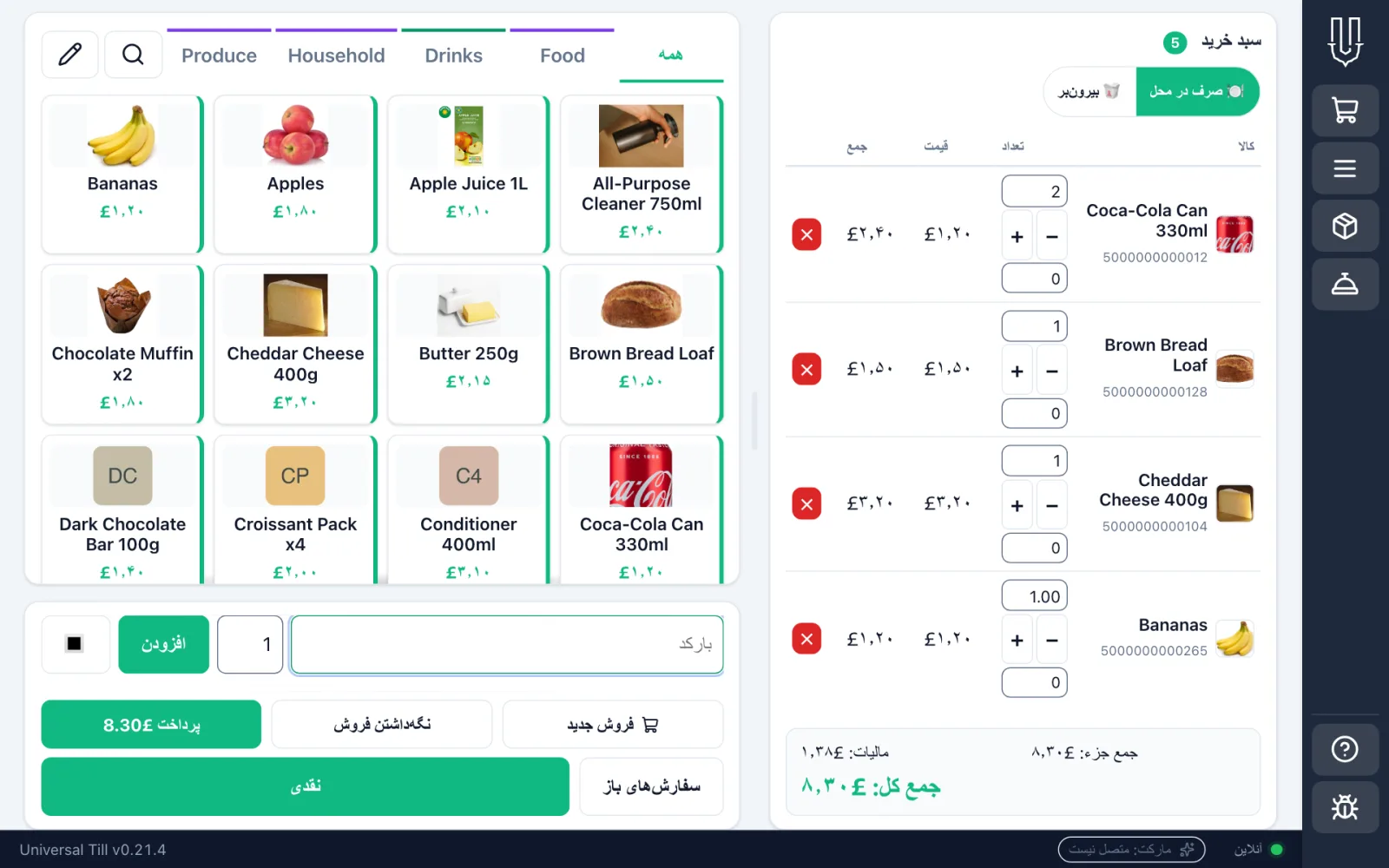
Right-to-left too
The same till in Persian, fully mirrored.
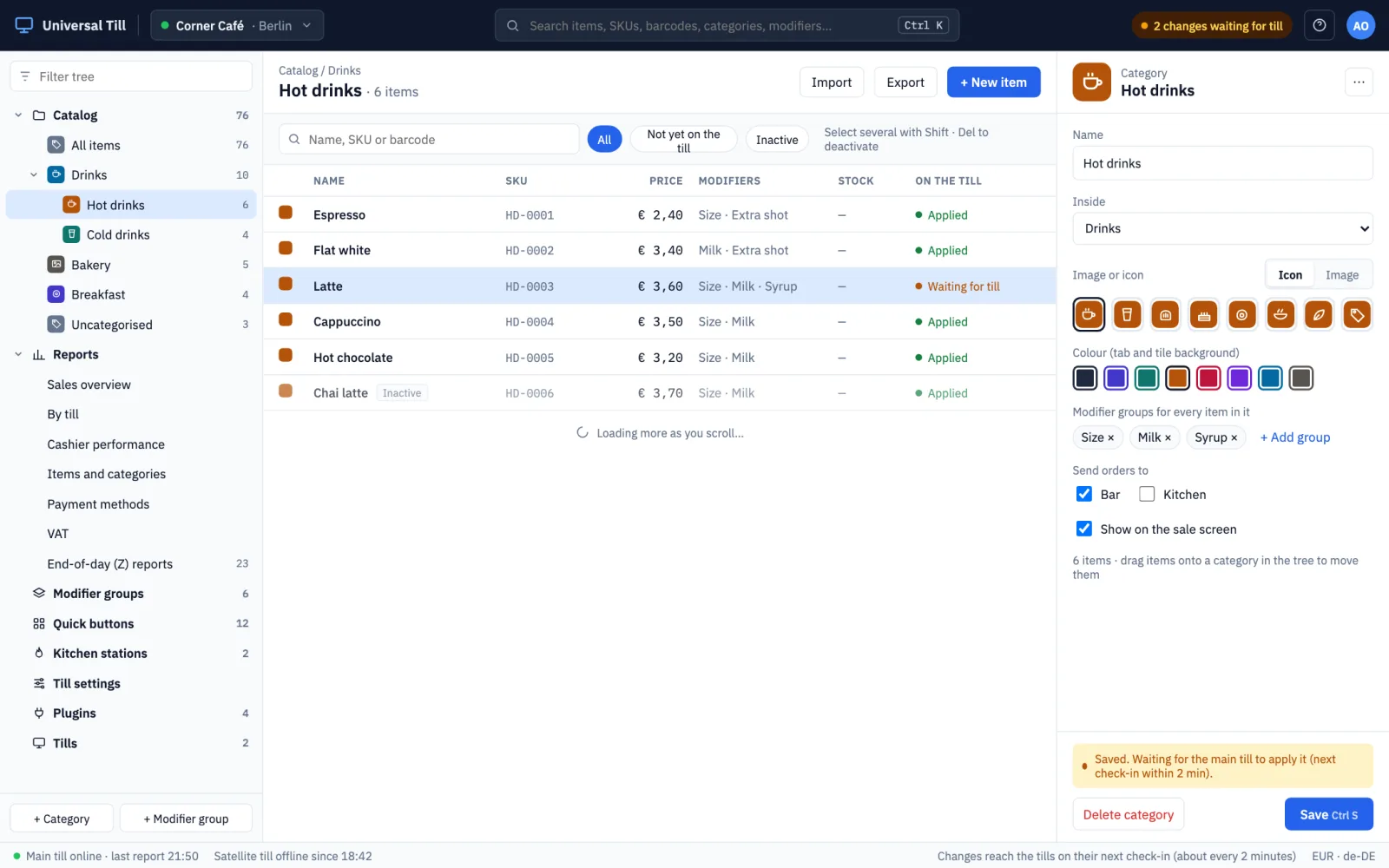
Cloud manager (design preview)
Where the cloud manager is heading: items, prices, icons and which tills see what. A design, shown with sample data.
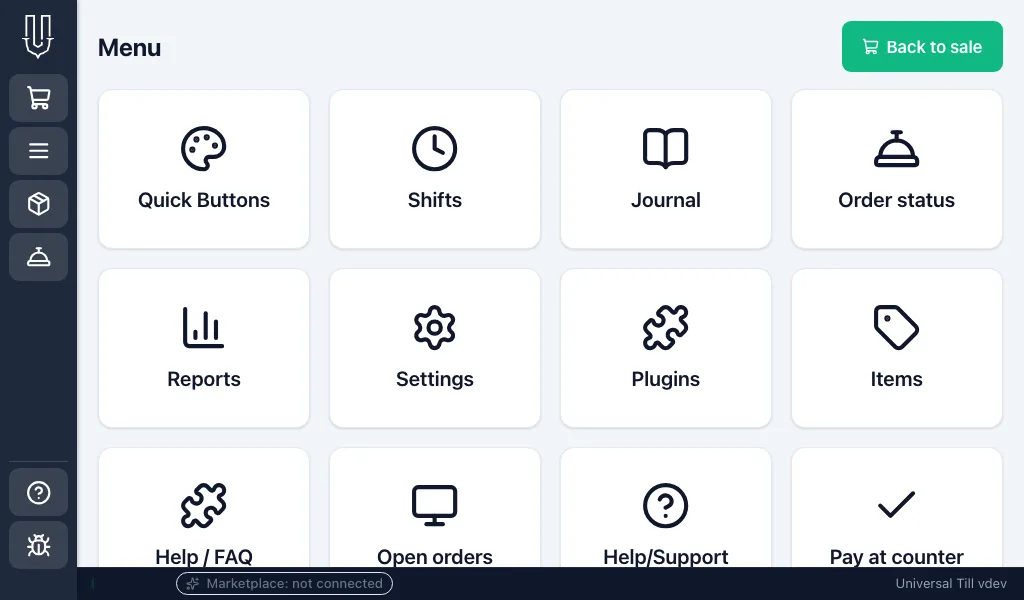
Everything a tap away
Shifts, journal, reports, settings and plugins from one menu.
Supported platforms
Runs on hardware the shop already owns.
Universal Till is one small app. Install it, follow the setup wizard, and start selling in a few minutes.
Windows
Windows 10 or 11, 64-bit. Guided installer or portable download.
Android
Android 7.0 and newer, installed from the download page.
Raspberry Pi
Pi 4 or 5 on 64-bit Raspberry Pi OS; can boot straight into the till.
Linux
64-bit PCs and mini-PCs, plus ARM64 boards.
macOS
Apple Silicon Macs (M1 and newer).
Country rules
Local tax and receipt rules, added per country.
Tax and receipt law differ by country. The setup wizard asks for the shop's country, which sets its currency and tax, and everything can be changed later in Settings. Country-specific requirements are delivered as country plugins rather than built into the core, so each market is added without changing the till everyone else runs.
Growing to many tills
Add a till by scanning a QR code.
A second till joins by scanning a QR code, and tills sync over the shop's own network for free, with no cloud required. Owners who want it can manage every till from my.universaltill.com.
Find out more
Where to go next.
universaltill.com
The product site: features, screens and the free pilot programme.
OpenDownload
Installers for Windows, macOS, Raspberry Pi, Linux and Android.
OpenPlugin catalogue
Browse the plugins available for the till.
Openmy.universaltill.com
Sign in to manage a shop from any browser.
OpenSource code
The universaltill organisation on GitHub, MIT licensed.
OpenRunning a café or shop, or want to talk about Universal Till?
We are onboarding a small number of cafés and shops in Germany and the UK as free pilots. Get in touch and we will help you get started.